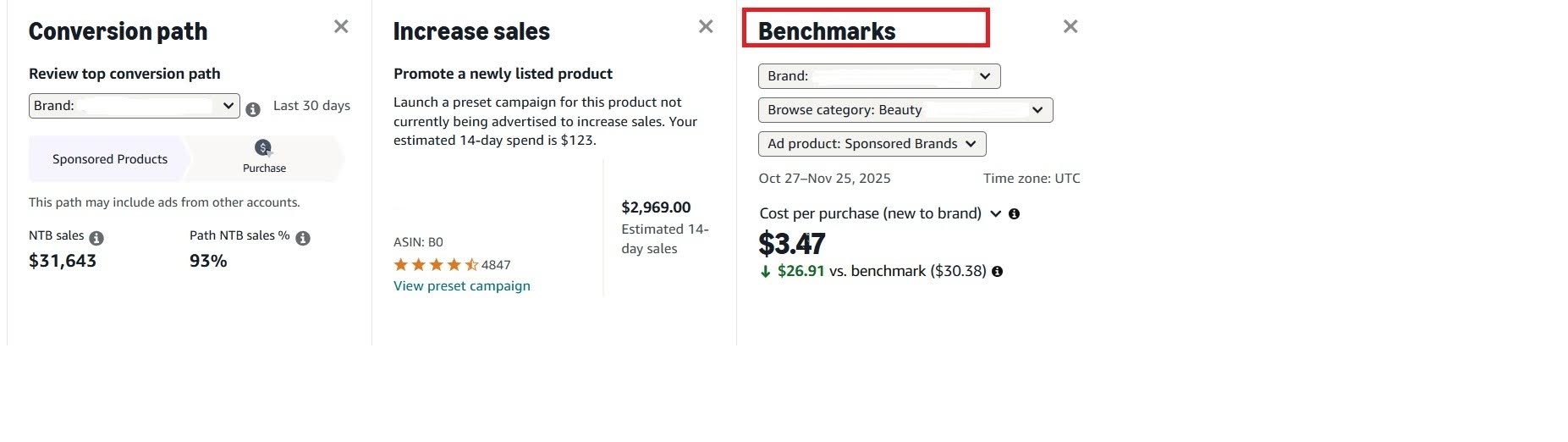
Benchmarks are now LIVE in Campaign Manager. Amazon Ads introduced the feature that changes how we read ad performance. Benchmarks give us context, not just numbers.
Here is what matters:
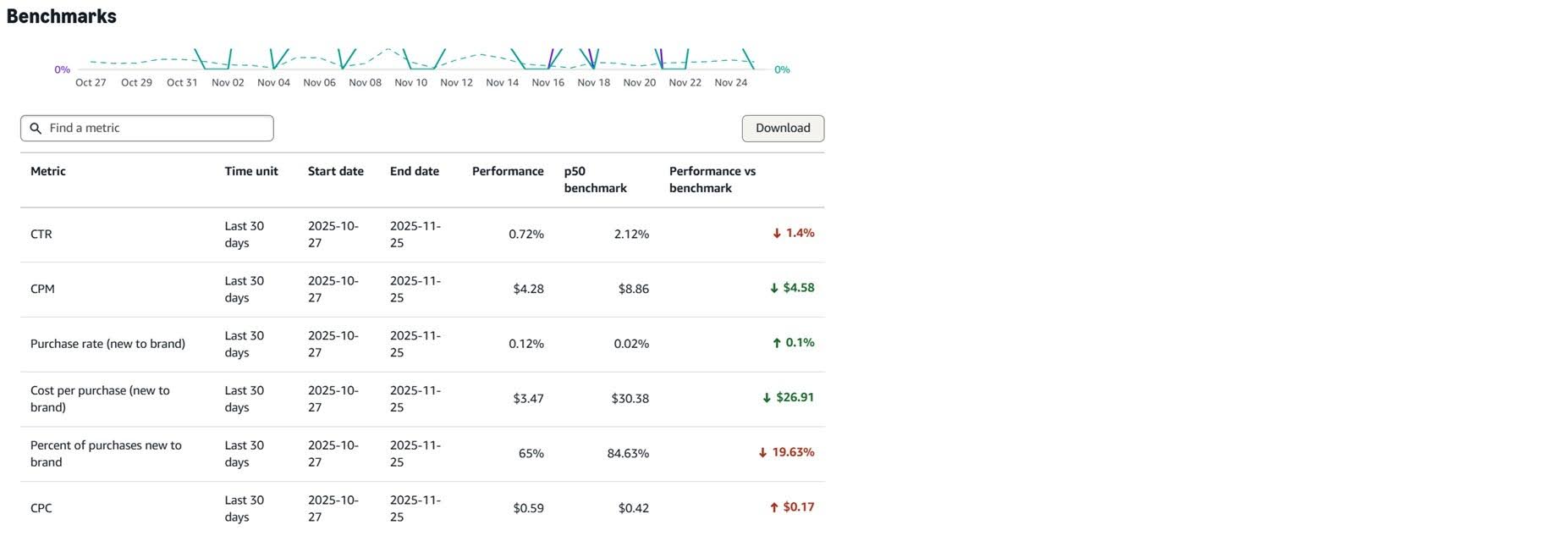
You can compare CTR, CPC, purchase rate, cost per purchase, and more with the median value in your category. You can finally see if you are ahead or behind.
A low CTR can signal weak creatives. A high CPC can mean inefficient bids. Benchmarks help you understand what needs attention.
Benchmarks show the direction. If your results are above the median, scale with intention. If they fall below, adjust targeting, creatives, or bidding.
Context builds trust. You can support every decision with real market data, not isolated metrics.
You can:
- filter by ad product, format, and date,
- download the full dataset for deeper analysis,
- and track trends across time.
Benchmarks turn scattered numbers into a clear view of your position in the category. They help you make smart decisions before small issues turn into bigger problems
P.S. Benchmarks are not in Seller Central.
They are available only in the Amazon Ads Console. If you do not see them yet, even on the US marketplace, the rollout for your account is still in progress.